 |
 |
||
| COMING SOON! ICLE's Website—New Look, New Functionality Partnership Transition FAQ Web Improvements—Coming August–December You'll see a fresh new look and improved functionality while still being able to access, search, and browse all your ICLE resources as you do now. When you log on to the My Resources area in August you'll begin to benefit from the improvements below, with enhancements continuing to roll out through December. MY RESOURCES
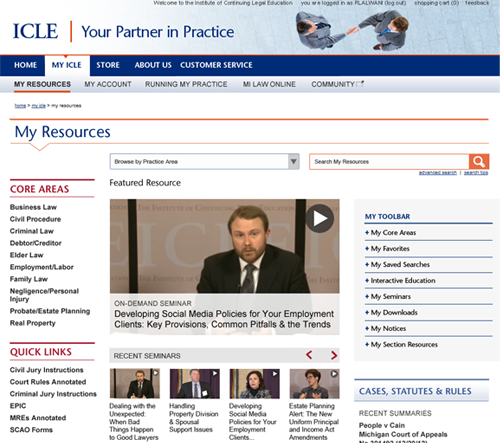
My Resources—featuring new navigation and "My Toolbar." Use "Core Areas" for a practice area view, "Quick Links" for fast access, and "My Toolbar" to personalize your My Resources page.
 RUNNING MY PRACTICE
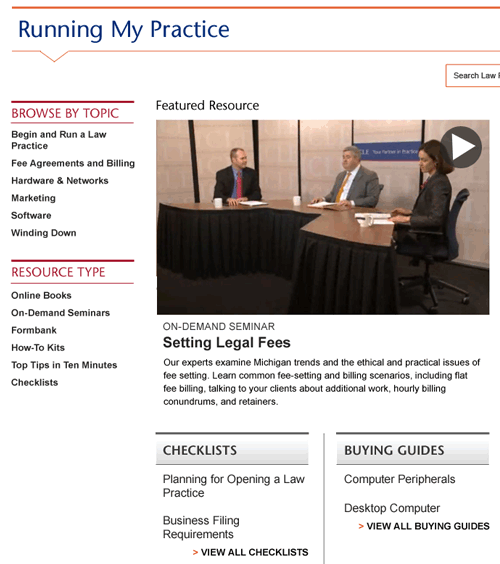
NEW! "Running My Practice" area—FREE to ICLE Partners! This service includes practice management and technology resources with checklists, buying guides, and the ICLE Tech Blog.
 CORE PRACTICE AREA VIEWS
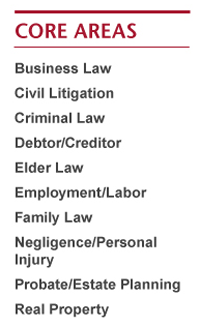
Core practice area views—a useful tool developed to help you find all resources available within each of the 10 core practices. This new tool will be a great addition to your current search and browse.
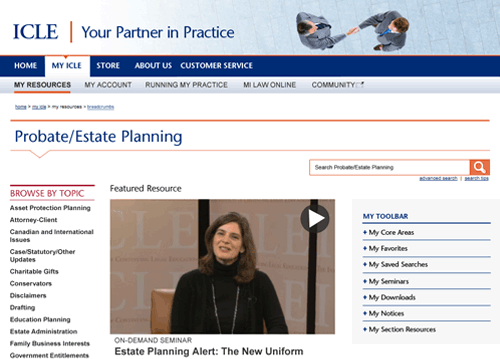
 With an improved interface, you can quickly access content by topic within a core area.
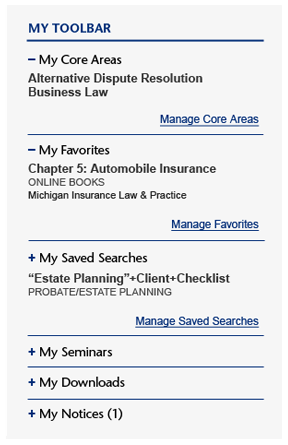
 MY TOOLBAR
My Toolbar—personalized controls to designate, store, and quickly access your registrations, favorites, downloads, and more. "My Favorites" gives quick access to resources you've designated as your favorites. Quickly rerun searches with "My Saved Searches."
 CONTENT PAGES
ICLE content pages—redesigned to be easier to use. Use the icons to add the page to your favorites, track what's new, and more (1). Navigate easily through topics with the clickable contents menus (2). 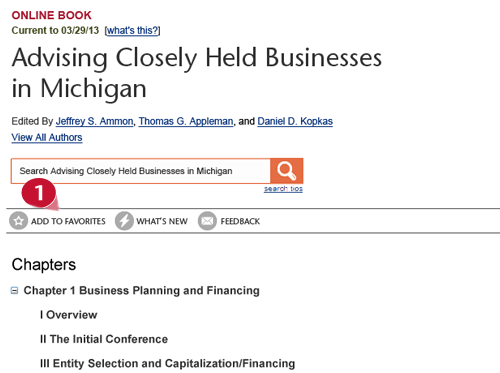 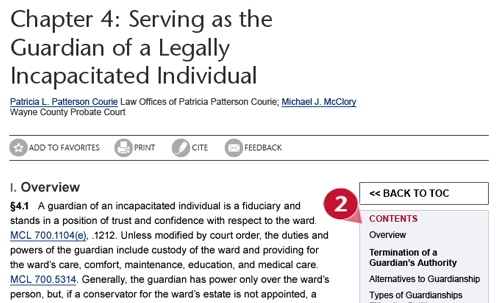 |
||
|